>> For any enquiries or further information, you are most welcome to get in touch with us
What is Dormitory System
Our Dormitory System is a complete digital solution designed for hostels, worker accommodation, and property operators. It works seamlessly as a Hostel Management System, Dormitory Check-In System, Hostel Booking Software, and even integrates well with Hotel PMS / Property Management Software workflows.
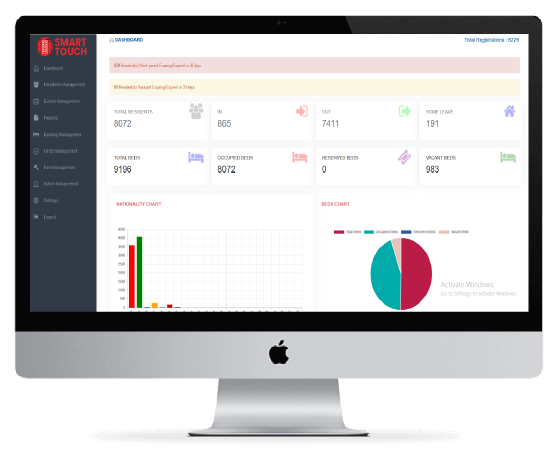
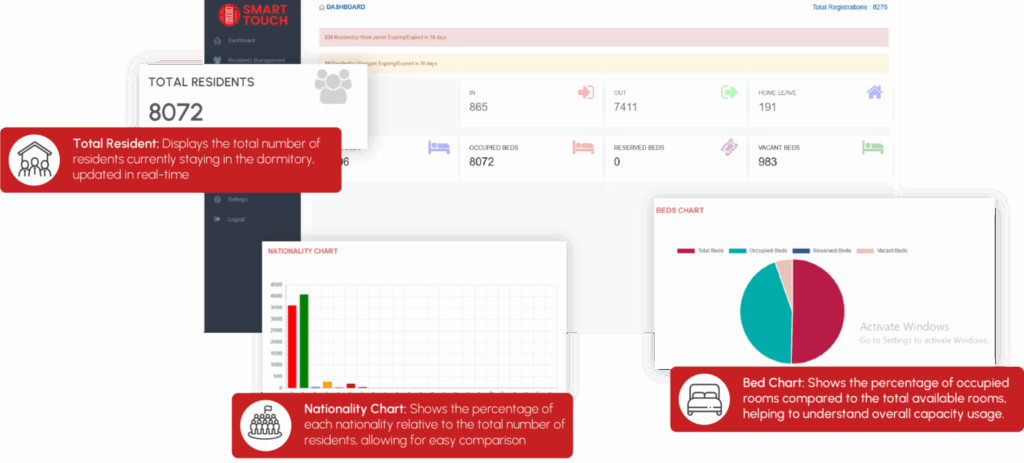
The dashboard gives you a real-time overview of your entire dormitory operation — including the total number of residents, home leave, total beds, vacant beds, reserved beds, and occupied beds. It also provides detailed visual charts such as nationality distribution and bed occupancy charts. The system automatically displays alerts for residents with expiring work permits or passports, helping you stay compliant and avoid penalties.
You can easily manage residents with full personal details, documents, stay history, and activity logs. The Booking Management module allows you to book beds with an intuitive graphical layout that mirrors your actual dormitory setup.
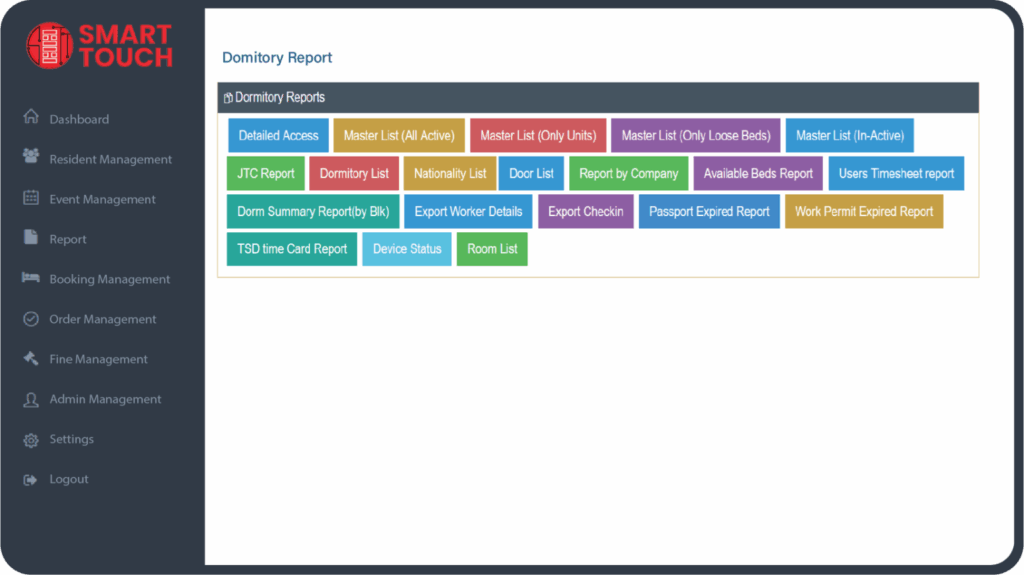
Our system also includes a full suite of Dormitory Reports, such as Dormitory List, Nationality List Report, Master List Report, Work Permit Expired Report, Passport Expired Report, and more.
Admin users can manage roles, permissions, account access, bulk resident import, check-in, check-out, resident termination, and other day-to-day hostel operations — all from one central control panel.
Whether you operate a hostel, worker dormitory, staff accommodation, or mixed property, this system gives you everything you need to run your operation smarter and more efficiently.

List of Dormitory Features
Dashboard
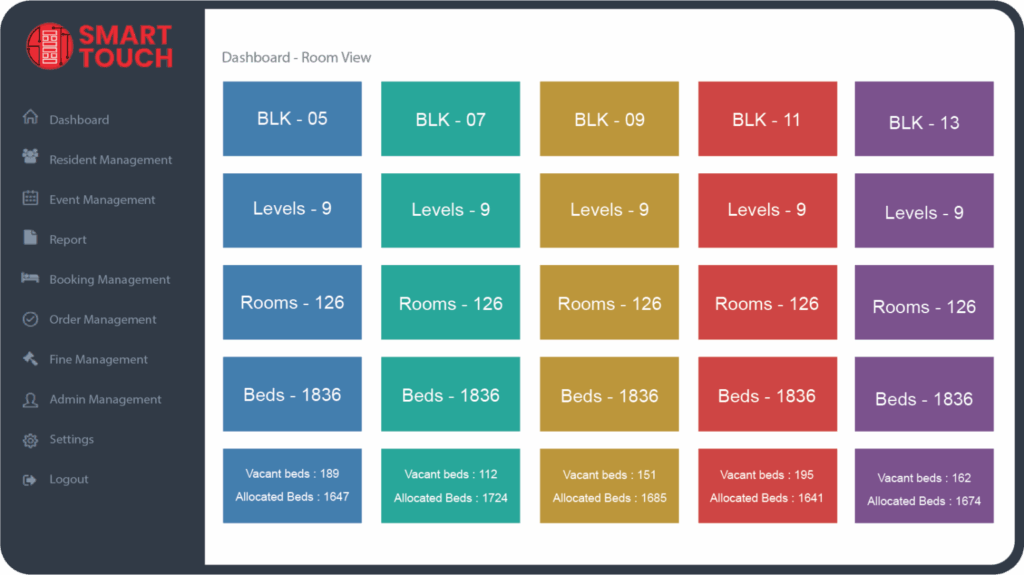
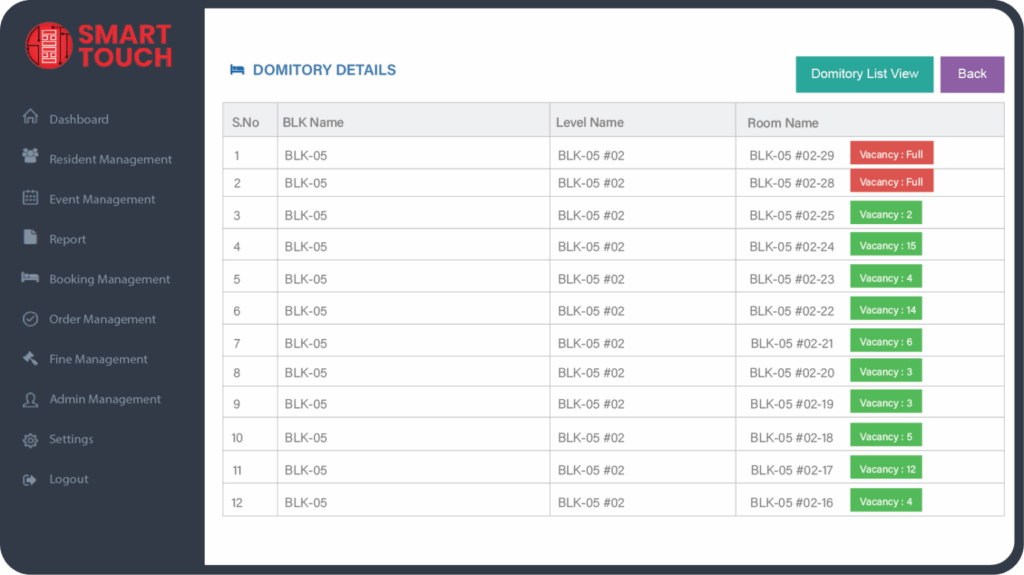
There are two types of dashboard Dashboard – Detailed view Dashboard – Room view
Residents Management
Resident Management can Manage (Add/Edit/Terminate/Filter) for all the residents in the dormitory
Attendance
Attendance can view the residents Movements in the dormitory and also filter for particular resident Movement in date range and that report can export to excel
Reports
There are different types of reports in the dormitory system. All reports can generate in Excel.
Booking Management
Booking Management is Manage to Reserve/UnReserve the beds for a company in advance for a period of time
Work Order Management
Work Order Management is to create work order for a company include the details of the order and print the work order for the next process
Fine Management
Fine Management is to create fine for a resident for unusual/illegal actions done in the dormitory and send to the resident employer
Billing Management
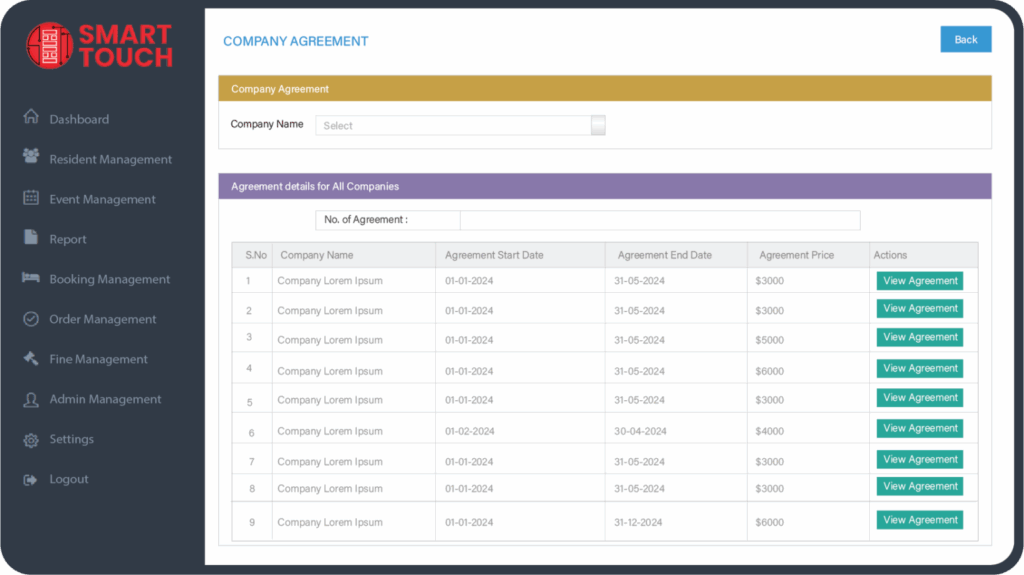
Under Billing Management can view the Billing for each company and also view the detailed monthly view, summary of billing view and company agreements
Admin Management
Under Admin management , there are several features to manage only admin’s depending on the roles assigned
FUNCTION ON THE DASHBOARD
Efficient Dormitory Management with Smart Touch Technology Domitory System
At Smart Touch Technology we provide more than just a housing solution—we offer a comprehensive Domitory System that streamlines the management of dormitories and residential facilities. Our system is designed to simplify every aspect of dormitory life, from managing resident information to overseeing room bookings and occupancy, all in one user-friendly platform with our Domitory System, you can:
- Track Attendance Monitor the attendance of workers and residents with ease, ensuring an organized and accountable living environment.
- Manage Move-Ins and Move-Outs Keep tabs on resident check-ins and check-outs, ensuring a smooth transition for new and outgoing residents.
- Effortless Room Booking Allow residents to book rooms seamlessly and manage their reservations through an intuitive interface.
- Comprehensive Reporting Generate detailed reports on occupancy, maintenance requests, resident feedback, and more, to stay informed and make data-driven decisions.
- Resident Management Manage resident profiles, including personal details, assigned rooms, attendance, and history, all within one central system.
Our Domitory System is built to enhance the efficiency of dormitory management, reduce administrative tasks, and create a better living experience for all. Whether you are managing a small dorm or a large housing facility, our system adapts to your needs, offering both flexibility and control. Experience the future of dormitory management with Smart Touch Technology, where we handle the complexities so you can focus on creating a supportive, well-managed community
FEATURES OF DORM SYSTEM
A dormitory system for workers is designed to provide safe, comfortable, and efficient living accommodations. The system incorporates several features to ensure smooth management and enhance the overall well-being of the occupants. Here’s an overview of the key features
| Room Management | Security |
|---|---|
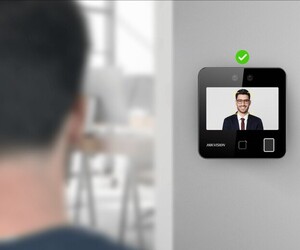
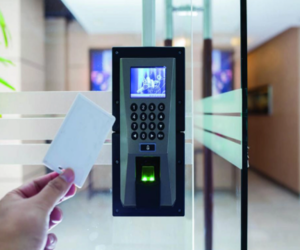
| Room Assignment The system allows administrators to assign rooms to workers based on specific criteria such as gender, job role, or special requirements. | Access Control Use access cards or biometric systems (such as fingerprint or access card) to ensure only authorized occupants can access the dormitory areas. |
| Capacity Management Set a maximum number of occupants per room to ensure comfort and compliance with safety regulations. | |
| Room Exchange Facilitate the process of room changes if needed, whether by the request of the occupants or operational requirements. |
Dashboard Room view
Seamlessly Manage Your Dorm Room Preferences Experience and Access with Just a Few Clicks
Record Details Room view
Effortless employee record management is now within your grasp! With a comprehensive system in place, critical details such as personal information are readily accessible for review and modification, all in real-time and from any location
Ease of management dormitory system
Detailed Description and List of Facilities Provided for Staff, Person-in-Charge (PIC), and HR in Managing a Dormitory System.
| Facilities for Staff | Facilities for Person-in-Charge (PIC) | Facilities for HR |
|---|---|---|
| Occupant Portal Access to information about dormitory rules, activity schedules, and important announcements | Room Assignment and Changes Tools to easily assign and manage room changes. | Occupant Records Tools to store and manage occupant information, including personal details and room status. |
| Room Information Access to room details, including equipment and inventory lists. | Occupant Tracking System to monitor occupant status, including check-ins and check-outs. | Accommodation Requests System to manage accommodation requests and approvals |
| Maintenance Reporting Facility to report any damage or maintenance issues through a portal or app. | Cleaning Schedule Tools to set and monitor regular cleaning schedules. | Occupancy Rate Reports Data on occupancy rates and room usage |
| Room Change Requests System to request room changes online | Maintenance Reporting System to receive and manage maintenance reports from occupants. | Occupant Satisfaction Reports Reports based on occupant feedback and satisfaction surveys. |
| Room Usage Reports Reports on room usage and occupancy rates. | Safety Records Storage and management of safety incident records |
Report in Dormitory System
There are different types of reports in the dormitory system. All reports can generate in Excel. All reports have filter feature. Below are the reports
- Detailed Access Report
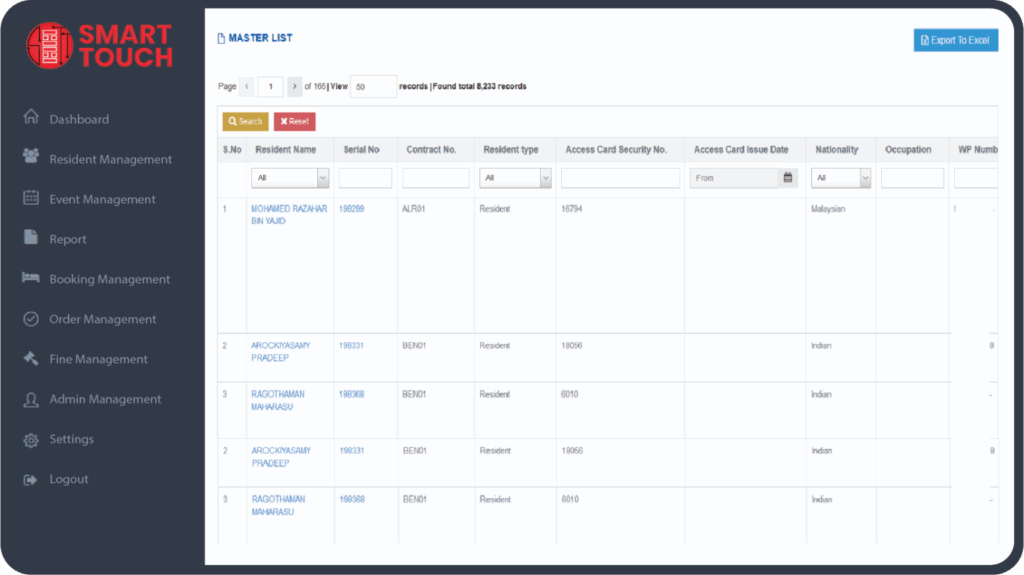
- Master List Report (Active/Inactive/Loose beds /Units)
- Dormitory List report
- Nationality Report
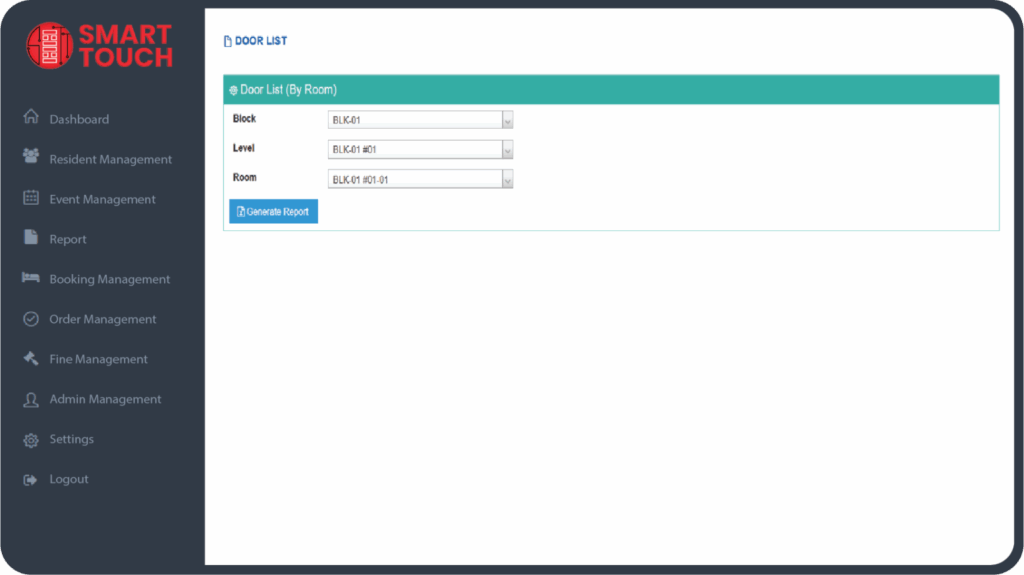
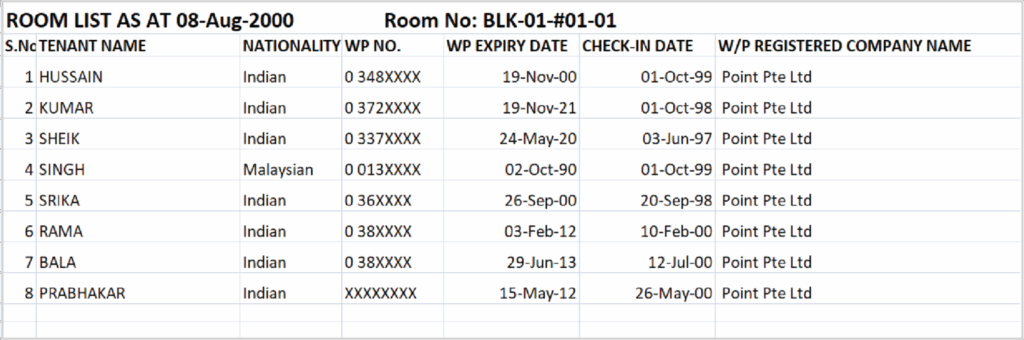
- Door List Report
- Company list Report
- Available Beds Report
- Users timesheet Report
- Workers Details Export Report
- Passport Expiry Report
- Work Permit Expiry Report
- Time card Report
- Devices status Report
- Room List report
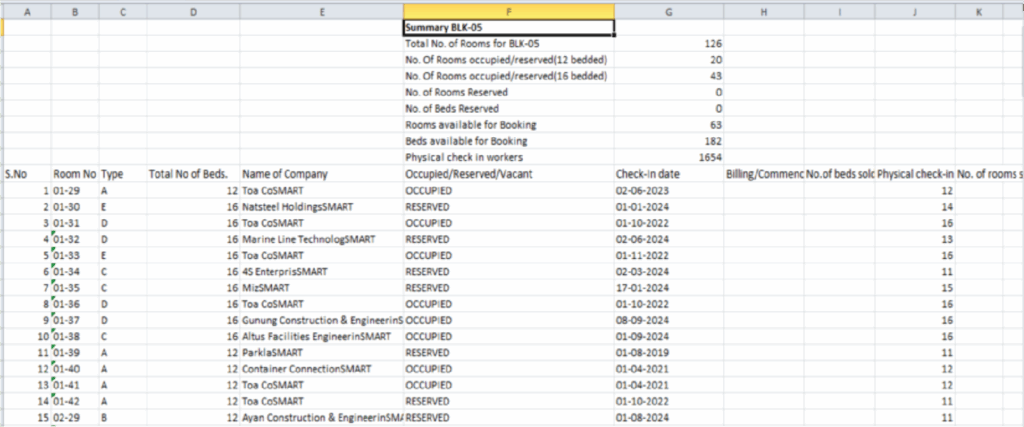
- Dorm Summary Report
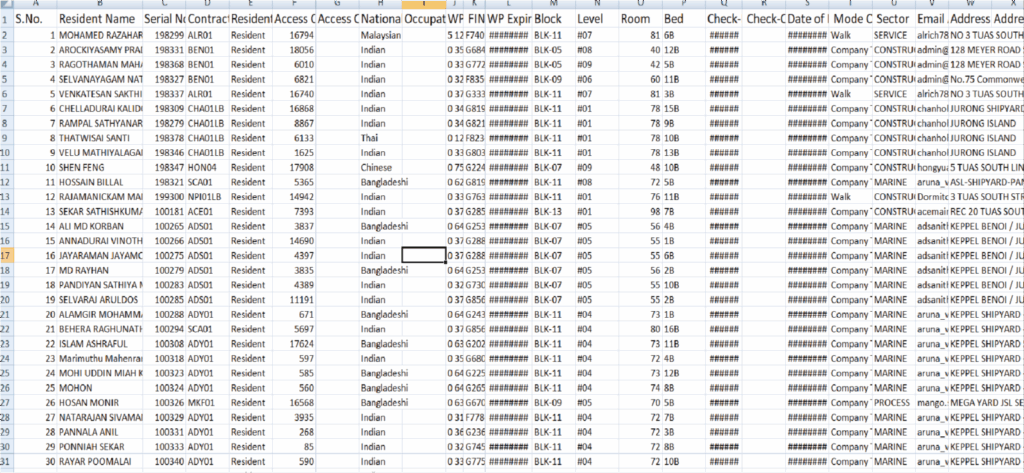
Master List Report
Sample Master List excel view
Door List Report
Sample Door List Report excel view
Dorm Summary Report page view
Dorm Summary Report view in excel
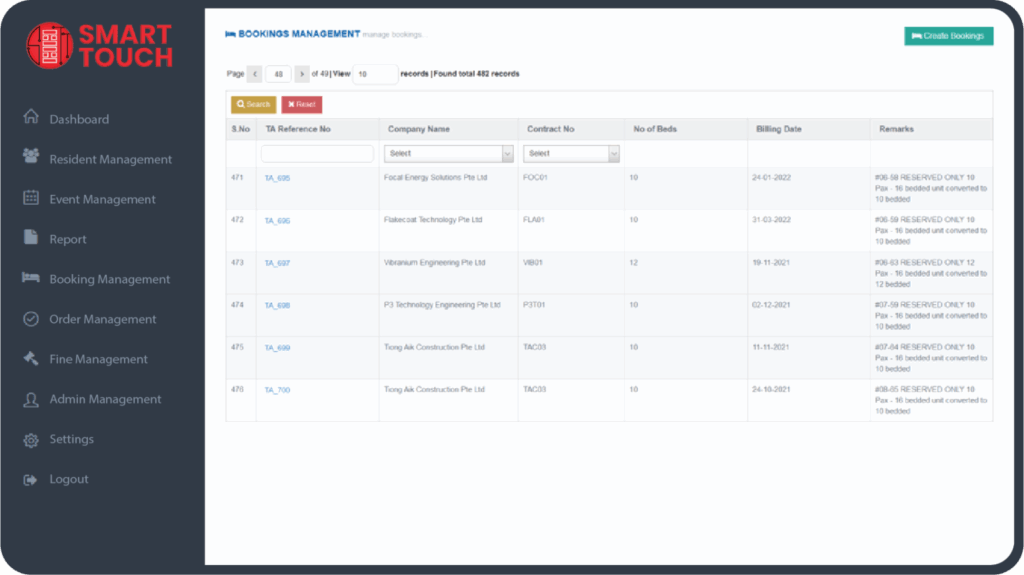
Booking Management
Booking Management is Manage to Reserve/UnReserve the beds for a company in advance for a period of time
Admin Management
Under Admin management , there are several features to manage only admin’s depending on the roles assigned . Below are the features
- Manage Admin Users
- Manage roles for the Users
- Creation/Deletion of dropdown features
- Managing shifts
- Managing the resident employers
- Bulk import of Residents using Excel
- Bulk terminate Residents
- Bulk Checkout Residents
- Delete Residents Permanently
- Managing email alerts for the WP/PP Expired residents